Kostenloses GPT Image 2: Fortgeschrittener KI-Bildgenerator und Editor
Unterstützte Formate: JPEG, JPG, WEBP, PNG
Kostenloser Test für hochwertige Bildgenerierung
Erhalte ein schnelleres, hochwertiges und werbefreies Erlebnis bei der Bilderzeugung über unsere professionelle Website
Kernfunktionen von Free GPT Image 2
Ein flexibles KI-Bildgenerierungs-Erlebnis für Text-to-Image und Image-to-Image – entwickelt für scharfe Details, genaue Prompt-Befolgung, saubere Komposition und schnelle kreative Iteration.
Beispiel für Text-to-Image-Erstellung

Create a fun, friendly magazine-style educational infographic poster for teenagers.Topic: Primordial black holes, Hawking evaporation, and memory-burden dark matter.Style: Playful hand-drawn diagrams, cute cartoon characters, clean bold typography. Warm and approachable.Canvas: Portrait orientation, warm cream paper texture, thin muted gray border.Headline: "THE BLACK HOLE THAT REFUSED TO DIE"Subtitle: "A tiny black hole from the Big Bang that might hide as dark matter"Credit: Thoss, Lopez-Honorez, Kühnel & HufnagelLayout sections:Top left: "Born in a flash" — Early universe swirl, tiny PBH (smaller than salt but heavier than mountain), 10^-30s clock, thermometer.Top right: "Normal black holes evaporate" — 3 shrinking stages with particle squiggles, Hawking quote sticker: "Black holes ain't so black".Center: "The memory burden twist" — Sad cartoon black hole with big "MEMORY" backpack, speech bubble "Too full to evaporate!", simple equation: normal speed ÷ (info)^k = very slow. Gia Dvali 2018.Lower middle: "Two kinds of ghost particles" — Fast cold particle vs slow warm particle, Big Bang to Today timeline.Bottom left: "Lyman-α forest" — Spiky absorption forest graphic, note "The forest would notice us".Bottom right: Rounded box "What this paper shows" — final summary.Colors: warm beige, dark navy, rust orange, dusty teal, soft brown, gray.Flat vector style with sketchy outlines, soft shadows, rounded friendly shapes.Dense but clear single-page poster with easy top-to-bottom flow. Make advanced physics feel fun for curious teens.

A clean premium promotional mockup in vertical triptych layout, showing three tall black-framed smartphones side by side.Left panel (soft lavender-to-blush gradient background):Elegant serif text “Fresh Pout.” at top.Phone screen displays a modern beauty landing page for Kosas lip product. Features: close-up beauty image at top, bold headline “Lips in their fullest expression.” (fullest in italic serif), dark rounded CTA button, 3 lip thumbnails, benefit tabs “Plumps / Tingles / Shines”, and 5 shade icons below. Clean cream and blush color scheme.Middle panel (lavender-to-deep-violet gradient):Serif text “Claude Code” at top.Phone shows typographic landing page with large bold stacked title “LIP PULSE.” and pink script line “is here.” below. Includes cropped portrait image, dark section with “Lips in their fullest expression.”, rounded button, and 6 shade cards in 2x3 grid at bottom.Right panel (dark navy textured background):Monospaced white text “GPT Images 2.0” at top.Phone displays pink-forward e-commerce page for Kosas: hero section with brand name “Kosas”, large title “The Lip Pulse”, angled pink lip gloss tube, feature icons, 6 lip swatches, and lower promotional pink product imagery.Overall style: editorial, minimal, high-end cosmetic campaign aesthetic. Symmetrical composition, exactly three vertical phones fully visible. Mix of elegant serif and bold sans-serif typography, soft pink and cream palettes, clean spacing, subtle shadows, sleek premium product design presentation.

Create a 1:1 editorial fashion moodboard for a fictional brand called VINCO. This should be a clean standalone moodboard artwork, not a screenshot of an app or interface, with no UI, no buttons, no text panel, and no device framing. The overall aesthetic blends Italian archival graphic design with late-1990s Southern California streetwear, mixing natural wine culture, skate utility, and sun-faded documentary fashion photography. Use gritty but precise art direction, midday outdoor light, slightly chaotic but disciplined typography, and real-person casting rather than polished fashion-model energy. Arrange exactly 4 images in a collage or editorial grid composition. Keep the layout organic, slightly imperfect, and art-directed like a campaign deck or printed reference board. Image 1: a young man in an oversized faded olive T-shirt and dark pants standing in front of an off-white poster-like backdrop with bold VINCO branding, barcode graphics, and small editorial text. Image 2: a close-up still life of a dark wine bottle with a minimalist white label reading VINCO, photographed in warm sunlight with tactile paper texture and shadow. Image 3: a person from the back in a washed olive long-sleeve shirt with subtle branding, white shorts, and a yellow hanging tag or sticker element near the top right, posed against a pale wall with blue stripe detail and editorial layout text. Image 4: a skateboarder crouching or riding away, photographed from behind, wearing a white T-shirt with a large black graphic block on the back and dark shorts, in golden sun on pavement. Use earthy tones throughout: olive, cream, charcoal, sun-bleached white, asphalt gray, muted brown, and one fluorescent yellow-green accent repeated in small details. The final image should feel like a refined editorial collage board, not a software screenshot.
Beispiel für Bildbearbeitung

design an original game art for an ancient European battlefield game (without text)

Create a complete visual world-building model for a civilization with the style of reference image, including multiple images of buildings, characters, clothing, vehicles and maps, using a unified design language and featuring a cinematic-like realism with extremely rich details.
Beispiel für referenzgeführtes Design

A futuristic premium brand identity moodboard for “Flaren”, a visionary optical technology / AI eyewear brand. Large hero image of a young woman in transparent clear-frame glasses, close-up side profile, looking upward, blue eye reflection, soft skin texture, dark cinematic lighting, violet and electric purple glow on the lens, mysterious and intelligent atmosphere. Below the hero image, create a polished brand presentation grid with multiple rounded-rectangle mockup tiles: black flag with logo, purple exhibition booth, branded rain jacket, laptop interface, business cards, packaging box, app icon, lanyard ID badge, product detail shots. Use a minimal geometric star/cross logo symbol, modern rounded sans-serif wordmark, high contrast black background, vivid purple accents, glossy materials, glass reflections, soft shadows, luxury tech aesthetic, cinematic product photography, clean Swiss grid layout, professional branding case study, Behance-style presentation, ultra realistic, high detail, 3:2 vertical composition.

Based on the design concept of this picture, please help me create a mood board for "Felix". The main color of Felix is #E84E1F, with a black background. It is mainly for a brand in the direction of FinTech, you need to replace the logo to match the overall style.
Vorteile von Free GPT Image 2
Free GPT Image 2 hilft Creatorn, schnell von der Idee zum nutzbaren Bild zu kommen – mit Prompts in natürlicher Sprache, Referenzbild-Unterstützung und mehreren Seitenverhältnissen für die tägliche visuelle Produktion.
Hochpräzises Prompt-Verständnis
Beschreibe Motiv, Szene, Licht, Kamerawinkel, visuellen Stil und Stimmung in Alltagssprache und generiere Bilder, die deiner kreativen Richtung mit starken Details und kohärenter Komposition folgen.
Text-to-Image- und Image-to-Image-Workflow
Starte nur mit einem Prompt oder kombiniere einen Prompt mit bis zu fünf hochgeladenen Referenzbildern, um Variationen zu erstellen, bestehende Visuals neu zu gestalten, Produktfotos zu verfeinern oder neue Stile zu erkunden.
Flexible Unterstützung von Seitenverhältnissen
Erstelle Bilder für quadratische Posts, Porträts, Banner, Thumbnails, Poster und Breitbild-Szenen mit beliebten Verhältnissen wie 1:1, 3:2, 2:3, 3:4, 4:3, 4:5, 5:4, 9:16, 16:9 und 21:9.
Bessere Ergebnisse für praktisches Design
Ideal für Marketingkonzepte, Social-Media-Visuals, Mockups, Storyboards, Bildungs-Grafiken und Markenexperimente, bei denen Klarheit, Layout-Kontrolle und schnelle Überarbeitung zählen.
Anwendungsszenarien von Free GPT Image 2
Nutze Free GPT Image 2 für schnelle Online-KI-Bildgenerierung in Marketing, Design, Bildung, E-Commerce, persönlicher Kreativität und Content-Produktion.
Social Media und Creator-Content
Erstelle scrollstoppende Posts, Thumbnails, Profil-Visuals, Cover für Short-Form-Videos und Kampagnenbilder im passenden Layout für jede Plattform.
Werbung und Produktkonzepte
Erstelle Produktszenen, Lifestyle-Mockups, Promo-Poster, Verpackungskonzepte und Anzeigenvariationen, bevor du Zeit in die vollständige Produktion investierst.
Fotobearbeitung und visuelles Remixen
Lade Referenzbilder hoch, um Stil anzupassen, Szenen neu zu gestalten, neue Hintergründe zu erkunden, die visuelle Richtung zu ändern oder konsistentere Bildvariationen zu erzeugen.
Bildung und Präsentationsdesign
Verwandle abstrakte Ideen in klare Illustrationen, Unterrichtsvisuals, Foliengrafiken, Diagramme und erklärende Bilder für Lernen und Kommunikation.
So nutzt du Free GPT Image 2
Erstelle oder bearbeite KI-Bilder in einem einfachen, einheitlichen Workflow: Prompt eingeben, optional Referenzbilder hochladen, Seitenverhältnis wählen und dein finales Visual erstellen.
Gib deinen Bild-Prompt ein
Schreibe, was du erstellen möchtest – inklusive Motiv, Umgebung, Stil, Farbe, Kamerawinkel, Licht, Text und wichtigen visuellen Details.
Referenzbilder hochladen, falls nötig
Für Image-to-Image füge ein bis fünf Referenzbilder hinzu und erkläre, wie sich das Ergebnis transformieren, bewahren oder die hochgeladenen Visuals neu interpretieren soll.
Verhältnis wählen und generieren
Wähle ein Seitenverhältnis wie 1:1, 4:5, 9:16, 16:9 oder 21:9, generiere, sieh dir das Ergebnis an, verfeinere den Prompt und exportiere das Bild, wenn es fertig ist.
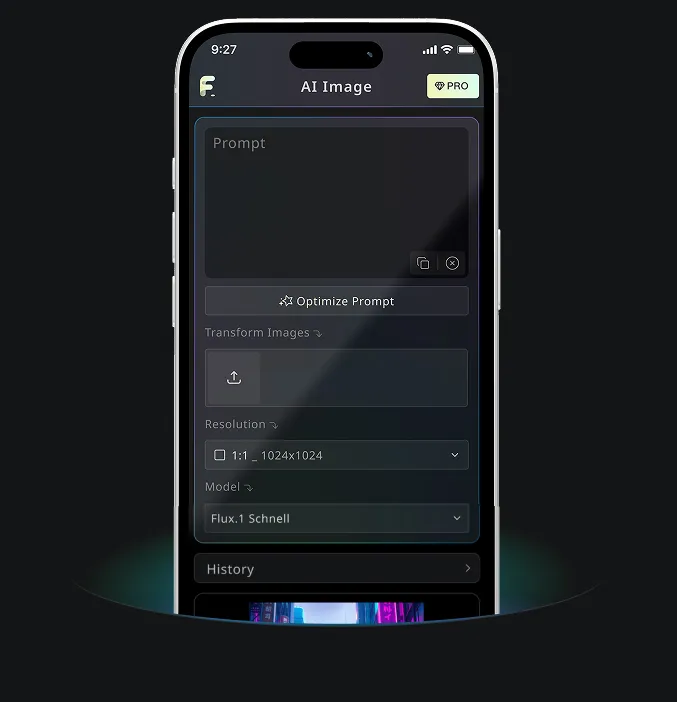
Android- & iOS-Mobile-App für Free Banana AI
Lade die Free Banana AI App herunter und steigere deine Kreativität mit KI-Bildgenerierungs-Tools, die Wörter in beeindruckende Visuals verwandeln.