Free GPT Image 2 : générateur et éditeur d’images IA avancé
Essai gratuit pour une génération d’images de meilleure qualité
Profitez d’une expérience plus rapide, de meilleure qualité et sans pub sur notre site professionnel
Fonctionnalités clés de Free GPT Image 2
Une expérience flexible de génération d’images IA pour la création texte-vers-image et image-vers-image, conçue pour des détails nets, un suivi précis des prompts, une composition propre et une itération créative rapide.
Exemple de création texte-vers-image

Create a fun, friendly magazine-style educational infographic poster for teenagers.Topic: Primordial black holes, Hawking evaporation, and memory-burden dark matter.Style: Playful hand-drawn diagrams, cute cartoon characters, clean bold typography. Warm and approachable.Canvas: Portrait orientation, warm cream paper texture, thin muted gray border.Headline: "THE BLACK HOLE THAT REFUSED TO DIE"Subtitle: "A tiny black hole from the Big Bang that might hide as dark matter"Credit: Thoss, Lopez-Honorez, Kühnel & HufnagelLayout sections:Top left: "Born in a flash" — Early universe swirl, tiny PBH (smaller than salt but heavier than mountain), 10^-30s clock, thermometer.Top right: "Normal black holes evaporate" — 3 shrinking stages with particle squiggles, Hawking quote sticker: "Black holes ain't so black".Center: "The memory burden twist" — Sad cartoon black hole with big "MEMORY" backpack, speech bubble "Too full to evaporate!", simple equation: normal speed ÷ (info)^k = very slow. Gia Dvali 2018.Lower middle: "Two kinds of ghost particles" — Fast cold particle vs slow warm particle, Big Bang to Today timeline.Bottom left: "Lyman-α forest" — Spiky absorption forest graphic, note "The forest would notice us".Bottom right: Rounded box "What this paper shows" — final summary.Colors: warm beige, dark navy, rust orange, dusty teal, soft brown, gray.Flat vector style with sketchy outlines, soft shadows, rounded friendly shapes.Dense but clear single-page poster with easy top-to-bottom flow. Make advanced physics feel fun for curious teens.

A clean premium promotional mockup in vertical triptych layout, showing three tall black-framed smartphones side by side.Left panel (soft lavender-to-blush gradient background):Elegant serif text “Fresh Pout.” at top.Phone screen displays a modern beauty landing page for Kosas lip product. Features: close-up beauty image at top, bold headline “Lips in their fullest expression.” (fullest in italic serif), dark rounded CTA button, 3 lip thumbnails, benefit tabs “Plumps / Tingles / Shines”, and 5 shade icons below. Clean cream and blush color scheme.Middle panel (lavender-to-deep-violet gradient):Serif text “Claude Code” at top.Phone shows typographic landing page with large bold stacked title “LIP PULSE.” and pink script line “is here.” below. Includes cropped portrait image, dark section with “Lips in their fullest expression.”, rounded button, and 6 shade cards in 2x3 grid at bottom.Right panel (dark navy textured background):Monospaced white text “GPT Images 2.0” at top.Phone displays pink-forward e-commerce page for Kosas: hero section with brand name “Kosas”, large title “The Lip Pulse”, angled pink lip gloss tube, feature icons, 6 lip swatches, and lower promotional pink product imagery.Overall style: editorial, minimal, high-end cosmetic campaign aesthetic. Symmetrical composition, exactly three vertical phones fully visible. Mix of elegant serif and bold sans-serif typography, soft pink and cream palettes, clean spacing, subtle shadows, sleek premium product design presentation.

Create a 1:1 editorial fashion moodboard for a fictional brand called VINCO. This should be a clean standalone moodboard artwork, not a screenshot of an app or interface, with no UI, no buttons, no text panel, and no device framing. The overall aesthetic blends Italian archival graphic design with late-1990s Southern California streetwear, mixing natural wine culture, skate utility, and sun-faded documentary fashion photography. Use gritty but precise art direction, midday outdoor light, slightly chaotic but disciplined typography, and real-person casting rather than polished fashion-model energy. Arrange exactly 4 images in a collage or editorial grid composition. Keep the layout organic, slightly imperfect, and art-directed like a campaign deck or printed reference board. Image 1: a young man in an oversized faded olive T-shirt and dark pants standing in front of an off-white poster-like backdrop with bold VINCO branding, barcode graphics, and small editorial text. Image 2: a close-up still life of a dark wine bottle with a minimalist white label reading VINCO, photographed in warm sunlight with tactile paper texture and shadow. Image 3: a person from the back in a washed olive long-sleeve shirt with subtle branding, white shorts, and a yellow hanging tag or sticker element near the top right, posed against a pale wall with blue stripe detail and editorial layout text. Image 4: a skateboarder crouching or riding away, photographed from behind, wearing a white T-shirt with a large black graphic block on the back and dark shorts, in golden sun on pavement. Use earthy tones throughout: olive, cream, charcoal, sun-bleached white, asphalt gray, muted brown, and one fluorescent yellow-green accent repeated in small details. The final image should feel like a refined editorial collage board, not a software screenshot.
Exemple d’édition d’image

design an original game art for an ancient European battlefield game (without text)

Create a complete visual world-building model for a civilization with the style of reference image, including multiple images of buildings, characters, clothing, vehicles and maps, using a unified design language and featuring a cinematic-like realism with extremely rich details.
Exemple de design guidé par référence

A futuristic premium brand identity moodboard for “Flaren”, a visionary optical technology / AI eyewear brand. Large hero image of a young woman in transparent clear-frame glasses, close-up side profile, looking upward, blue eye reflection, soft skin texture, dark cinematic lighting, violet and electric purple glow on the lens, mysterious and intelligent atmosphere. Below the hero image, create a polished brand presentation grid with multiple rounded-rectangle mockup tiles: black flag with logo, purple exhibition booth, branded rain jacket, laptop interface, business cards, packaging box, app icon, lanyard ID badge, product detail shots. Use a minimal geometric star/cross logo symbol, modern rounded sans-serif wordmark, high contrast black background, vivid purple accents, glossy materials, glass reflections, soft shadows, luxury tech aesthetic, cinematic product photography, clean Swiss grid layout, professional branding case study, Behance-style presentation, ultra realistic, high detail, 3:2 vertical composition.

Based on the design concept of this picture, please help me create a mood board for "Felix". The main color of Felix is #E84E1F, with a black background. It is mainly for a brand in the direction of FinTech, you need to replace the logo to match the overall style.
Avantages de Free GPT Image 2
Free GPT Image 2 aide les créateurs à passer rapidement de l’idée à une image exploitable, en combinant des prompts en langage naturel, la prise en charge d’images de référence et plusieurs ratios pour la production visuelle au quotidien.
Compréhension avancée des prompts
Décrivez le sujet, la scène, l’éclairage, l’angle de caméra, le style visuel et l’ambiance en langage naturel, et générez des images qui suivent votre direction créative avec un bon niveau de détail et une composition cohérente.
Flux texte-vers-image et image-vers-image
Partez d’un prompt seul, ou combinez un prompt avec jusqu’à cinq images de référence importées pour créer des variations, redesign des visuels existants, affiner des photos produit ou explorer de nouveaux styles.
Prise en charge flexible des ratios
Générez des images pour des posts carrés, portraits, bannières, miniatures, affiches et scènes widescreen avec des ratios populaires dont 1:1, 3:2, 2:3, 3:4, 4:3, 4:5, 5:4, 9:16, 16:9 et 21:9.
De meilleurs résultats pour le design pratique
Idéal pour des concepts marketing, visuels réseaux sociaux, mockups, storyboards, graphismes éducatifs et expérimentations de marque où la clarté, le contrôle de mise en page et les révisions rapides comptent.
Scénarios d’utilisation de Free GPT Image 2
Utilisez Free GPT Image 2 pour une génération d’images IA en ligne rapide dans le marketing, le design, l’éducation, l’e-commerce, la créativité personnelle et la production de contenu.
Réseaux sociaux et contenu de créateurs
Générez des posts qui arrêtent le scroll, des miniatures, des visuels de profil, des couvertures de vidéos courtes et des images de campagne avec la bonne mise en page pour chaque plateforme.
Publicité et concepts produit
Créez des scènes produit, mockups lifestyle, affiches promotionnelles, concepts d’emballage et variations d’annonces avant d’investir du temps dans une production complète.
Retouche photo et remix visuel
Importez des images de référence pour ajuster le style, redesign des scènes, explorer de nouveaux arrière-plans, changer la direction visuelle ou créer des variations plus cohérentes.
Éducation et design de présentation
Transformez des idées abstraites en illustrations claires, visuels de cours, graphiques de diapositives, schémas et images explicatives pour l’apprentissage et la communication.
Comment utiliser Free GPT Image 2
Générez ou éditez des images IA dans un flux unifié simple : saisissez un prompt, importez éventuellement des images de référence, choisissez un ratio et créez votre visuel final.
Saisissez votre prompt d’image
Écrivez ce que vous voulez créer, y compris le sujet, l’environnement, le style, la couleur, l’angle de caméra, l’éclairage, le texte et tout détail visuel important.
Importer des images de référence si nécessaire
Pour la génération image-vers-image, ajoutez une à cinq images de référence et expliquez comment le résultat doit transformer, préserver ou réinterpréter les visuels importés.
Choisir le ratio et générer
Sélectionnez un ratio comme 1:1, 4:5, 9:16, 16:9 ou 21:9, puis générez, prévisualisez, affinez votre prompt et exportez l’image quand elle est prête.
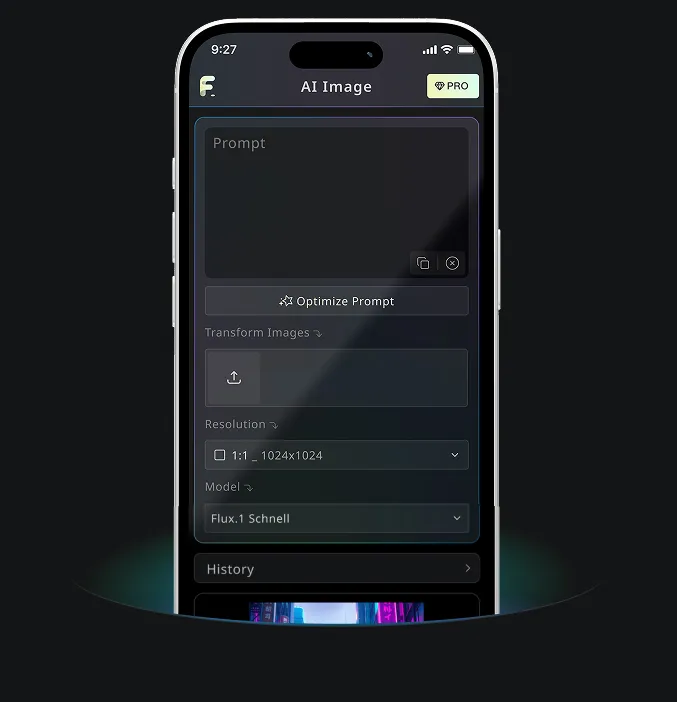
Application mobile Android & iOS pour Free Banana AI
Téléchargez l’application mobile Free Banana AI pour booster votre créativité avec des outils de génération d’images IA qui transforment les mots en visuels époustouflants.