Free GPT Image 2:高度なAI画像生成&編集
高画質画像生成が無料で試せます
プロフェッショナルサイトでより速く高品質、広告なしで画像生成体験を提供します
Free GPT Image 2 の主要機能
テキストから画像/画像から画像に対応した柔軟なAI画像生成体験。シャープなディテール、プロンプト追従の精度、クリーンな構図、素早い試行錯誤のために設計されています。
テキストから画像作成の例

Create a fun, friendly magazine-style educational infographic poster for teenagers.Topic: Primordial black holes, Hawking evaporation, and memory-burden dark matter.Style: Playful hand-drawn diagrams, cute cartoon characters, clean bold typography. Warm and approachable.Canvas: Portrait orientation, warm cream paper texture, thin muted gray border.Headline: "THE BLACK HOLE THAT REFUSED TO DIE"Subtitle: "A tiny black hole from the Big Bang that might hide as dark matter"Credit: Thoss, Lopez-Honorez, Kühnel & HufnagelLayout sections:Top left: "Born in a flash" — Early universe swirl, tiny PBH (smaller than salt but heavier than mountain), 10^-30s clock, thermometer.Top right: "Normal black holes evaporate" — 3 shrinking stages with particle squiggles, Hawking quote sticker: "Black holes ain't so black".Center: "The memory burden twist" — Sad cartoon black hole with big "MEMORY" backpack, speech bubble "Too full to evaporate!", simple equation: normal speed ÷ (info)^k = very slow. Gia Dvali 2018.Lower middle: "Two kinds of ghost particles" — Fast cold particle vs slow warm particle, Big Bang to Today timeline.Bottom left: "Lyman-α forest" — Spiky absorption forest graphic, note "The forest would notice us".Bottom right: Rounded box "What this paper shows" — final summary.Colors: warm beige, dark navy, rust orange, dusty teal, soft brown, gray.Flat vector style with sketchy outlines, soft shadows, rounded friendly shapes.Dense but clear single-page poster with easy top-to-bottom flow. Make advanced physics feel fun for curious teens.

A clean premium promotional mockup in vertical triptych layout, showing three tall black-framed smartphones side by side.Left panel (soft lavender-to-blush gradient background):Elegant serif text “Fresh Pout.” at top.Phone screen displays a modern beauty landing page for Kosas lip product. Features: close-up beauty image at top, bold headline “Lips in their fullest expression.” (fullest in italic serif), dark rounded CTA button, 3 lip thumbnails, benefit tabs “Plumps / Tingles / Shines”, and 5 shade icons below. Clean cream and blush color scheme.Middle panel (lavender-to-deep-violet gradient):Serif text “Claude Code” at top.Phone shows typographic landing page with large bold stacked title “LIP PULSE.” and pink script line “is here.” below. Includes cropped portrait image, dark section with “Lips in their fullest expression.”, rounded button, and 6 shade cards in 2x3 grid at bottom.Right panel (dark navy textured background):Monospaced white text “GPT Images 2.0” at top.Phone displays pink-forward e-commerce page for Kosas: hero section with brand name “Kosas”, large title “The Lip Pulse”, angled pink lip gloss tube, feature icons, 6 lip swatches, and lower promotional pink product imagery.Overall style: editorial, minimal, high-end cosmetic campaign aesthetic. Symmetrical composition, exactly three vertical phones fully visible. Mix of elegant serif and bold sans-serif typography, soft pink and cream palettes, clean spacing, subtle shadows, sleek premium product design presentation.

Create a 1:1 editorial fashion moodboard for a fictional brand called VINCO. This should be a clean standalone moodboard artwork, not a screenshot of an app or interface, with no UI, no buttons, no text panel, and no device framing. The overall aesthetic blends Italian archival graphic design with late-1990s Southern California streetwear, mixing natural wine culture, skate utility, and sun-faded documentary fashion photography. Use gritty but precise art direction, midday outdoor light, slightly chaotic but disciplined typography, and real-person casting rather than polished fashion-model energy. Arrange exactly 4 images in a collage or editorial grid composition. Keep the layout organic, slightly imperfect, and art-directed like a campaign deck or printed reference board. Image 1: a young man in an oversized faded olive T-shirt and dark pants standing in front of an off-white poster-like backdrop with bold VINCO branding, barcode graphics, and small editorial text. Image 2: a close-up still life of a dark wine bottle with a minimalist white label reading VINCO, photographed in warm sunlight with tactile paper texture and shadow. Image 3: a person from the back in a washed olive long-sleeve shirt with subtle branding, white shorts, and a yellow hanging tag or sticker element near the top right, posed against a pale wall with blue stripe detail and editorial layout text. Image 4: a skateboarder crouching or riding away, photographed from behind, wearing a white T-shirt with a large black graphic block on the back and dark shorts, in golden sun on pavement. Use earthy tones throughout: olive, cream, charcoal, sun-bleached white, asphalt gray, muted brown, and one fluorescent yellow-green accent repeated in small details. The final image should feel like a refined editorial collage board, not a software screenshot.
画像編集の例

design an original game art for an ancient European battlefield game (without text)

Create a complete visual world-building model for a civilization with the style of reference image, including multiple images of buildings, characters, clothing, vehicles and maps, using a unified design language and featuring a cinematic-like realism with extremely rich details.
参照ガイド付きデザインの例

A futuristic premium brand identity moodboard for “Flaren”, a visionary optical technology / AI eyewear brand. Large hero image of a young woman in transparent clear-frame glasses, close-up side profile, looking upward, blue eye reflection, soft skin texture, dark cinematic lighting, violet and electric purple glow on the lens, mysterious and intelligent atmosphere. Below the hero image, create a polished brand presentation grid with multiple rounded-rectangle mockup tiles: black flag with logo, purple exhibition booth, branded rain jacket, laptop interface, business cards, packaging box, app icon, lanyard ID badge, product detail shots. Use a minimal geometric star/cross logo symbol, modern rounded sans-serif wordmark, high contrast black background, vivid purple accents, glossy materials, glass reflections, soft shadows, luxury tech aesthetic, cinematic product photography, clean Swiss grid layout, professional branding case study, Behance-style presentation, ultra realistic, high detail, 3:2 vertical composition.

Based on the design concept of this picture, please help me create a mood board for "Felix". The main color of Felix is #E84E1F, with a black background. It is mainly for a brand in the direction of FinTech, you need to replace the logo to match the overall style.
Free GPT Image 2 の強み
Free GPT Image 2は、自然言語プロンプト、参照画像対応、複数アスペクト比を組み合わせ、日常のビジュアル制作でアイデアから使える画像までを素早くつなげます。
高精度なプロンプト理解
被写体、シーン、ライティング、カメラ角度、ビジュアルスタイル、雰囲気を自然な言葉で説明し、細部が強く構図の整った画像を、狙いに沿って生成できます。
テキストから画像/画像から画像のワークフロー
プロンプトのみで開始することも、最大5枚の参照画像とプロンプトを組み合わせて、バリエーション作成、既存ビジュアルの再設計、商品写真の改善、新しいスタイル探索を行うこともできます。
柔軟なアスペクト比対応
1:1、3:2、2:3、3:4、4:3、4:5、5:4、9:16、16:9、21:9など人気の比率で、正方形投稿、ポートレート、バナー、サムネイル、ポスター、ワイドシーン向けの画像を生成できます。
実務デザインでより良い結果
マーケティング案、SNSビジュアル、モックアップ、絵コンテ、教育用グラフィック、ブランド実験など、明瞭さ、レイアウト制御、素早い修正が重要な用途に最適です。
Free GPT Image 2 の活用シーン
Free GPT Image 2は、マーケティング、デザイン、教育、EC、個人制作、コンテンツ制作など、幅広い用途でオンラインAI画像生成を素早く行えます。
SNS&クリエイターコンテンツ
各プラットフォームに適したレイアウトで、目を引く投稿、サムネイル、プロフィール画像、短尺動画のカバー、キャンペーン画像を生成できます。
広告&商品コンセプト
本制作に時間をかける前に、商品シーン、ライフスタイルモック、販促ポスター、パッケージ案、広告バリエーションを作成できます。
写真編集&ビジュアルリミックス
参照画像をアップロードして、スタイル調整、シーンの再設計、新しい背景の探索、方向性の変更、より一貫した画像バリエーション作成ができます。
教育&プレゼンデザイン
抽象的なアイデアを分かりやすいイラスト、授業ビジュアル、スライド素材、図表、解説画像に変換し、学習とコミュニケーションに活用できます。
Free GPT Image 2 の使い方
統一されたシンプルなワークフローでAI画像を生成・編集:プロンプトを入力し、必要なら参照画像をアップロードし、アスペクト比を選んで最終ビジュアルを作成します。
画像プロンプトを入力
被写体、環境、スタイル、色、カメラ角度、ライティング、文字、重要なビジュアル詳細など、作りたい内容を書きます。
必要に応じて参照画像をアップロード
画像から画像生成の場合は、参照画像を1〜5枚追加し、結果がアップロード画像をどのように変形/保持/再解釈すべきかを説明します。
比率を選んで生成
1:1、4:5、9:16、16:9、21:9などのアスペクト比を選び、生成→プレビュー→プロンプト調整を行い、準備ができたら画像を書き出します。
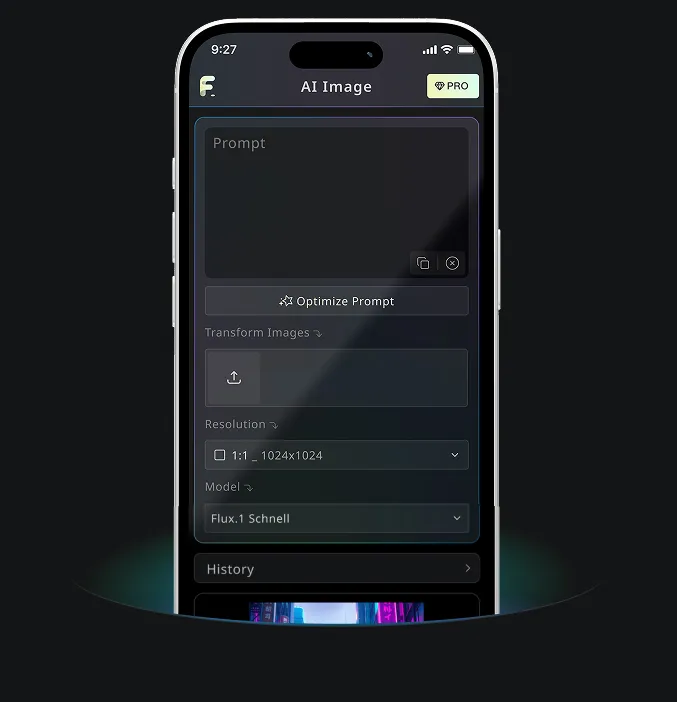
Free Banana AI のAndroid・iOSモバイルアプリ
Free Banana AIモバイルアプリをダウンロードして、言葉を美しいビジュアルに変えるAI画像生成ツールで創造力を高めましょう。